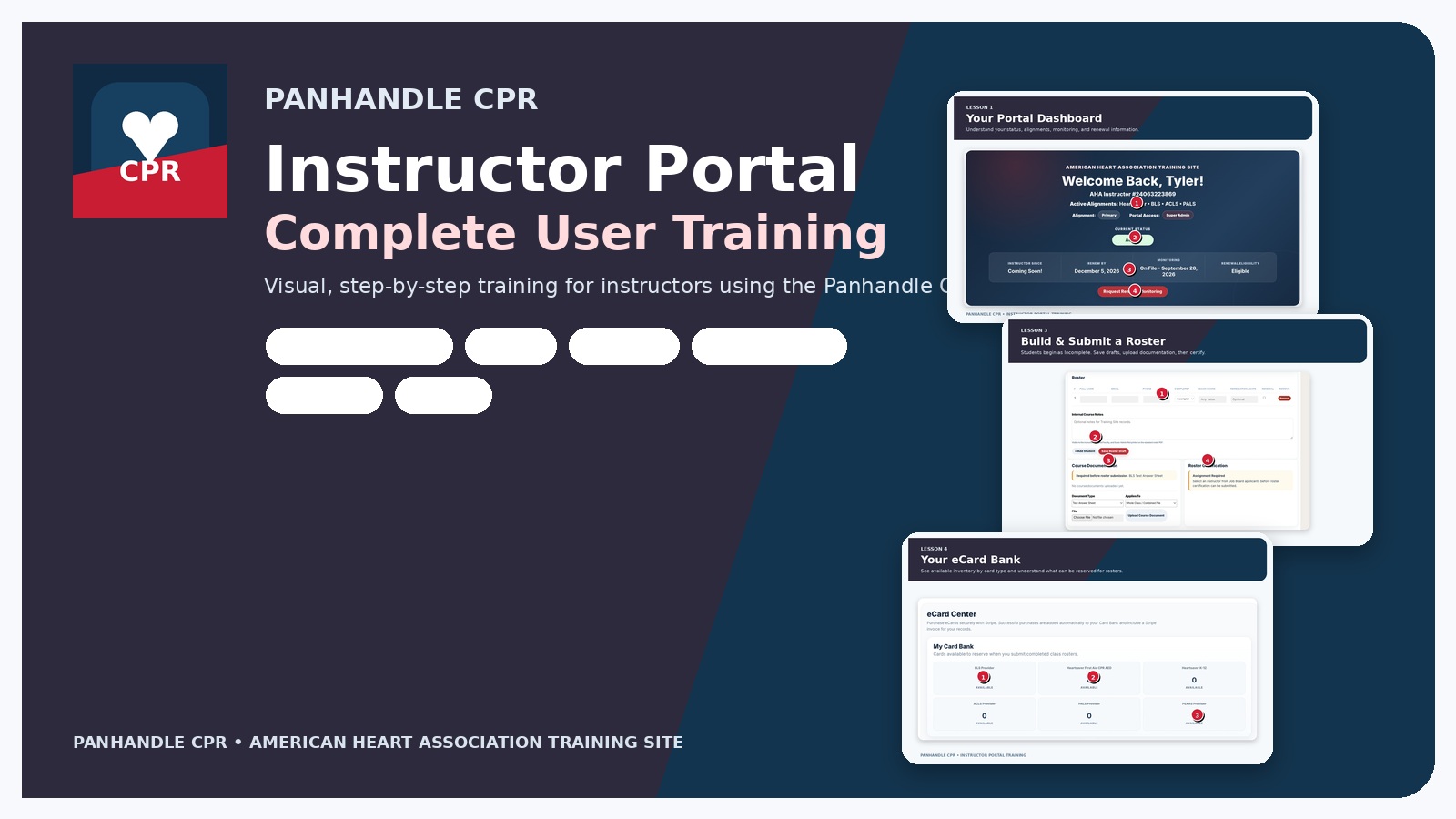
 Click image to enlarge
We’re glad you’re here.
This instructor training was created to help you learn the Panhandle CPR Instructor Portal quickly and confidently. Inside this course, we’ll walk you through our proprietary in-house portal so you know exactly how to manage classes, rosters, eCards, instructor files, messages, rentals, and more.
Think of this as your guided tour of the tools you’ll use most — all in one place.
Jump Into a Lesson
Work through the portal one section at a time. You can come back to these lessons anytime you need a refresher.
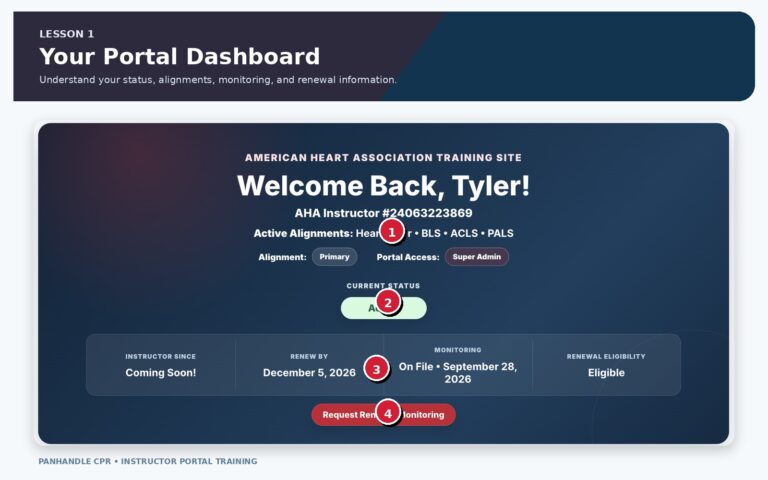 LESSON 01
Your Portal Dashboard
Read your instructor status, alignment, monitoring, and renewal information at a glance.
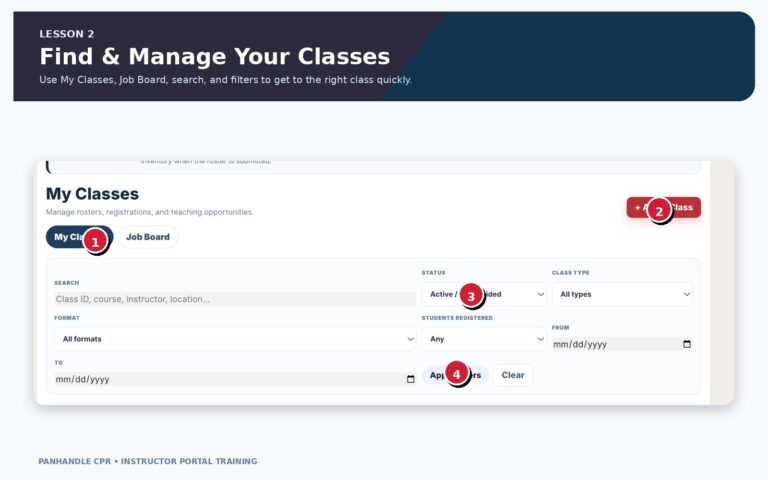 LESSON 02
My Classes & Job Board
Find classes, filter records, open rosters, and understand Job Board and publishing indicators.
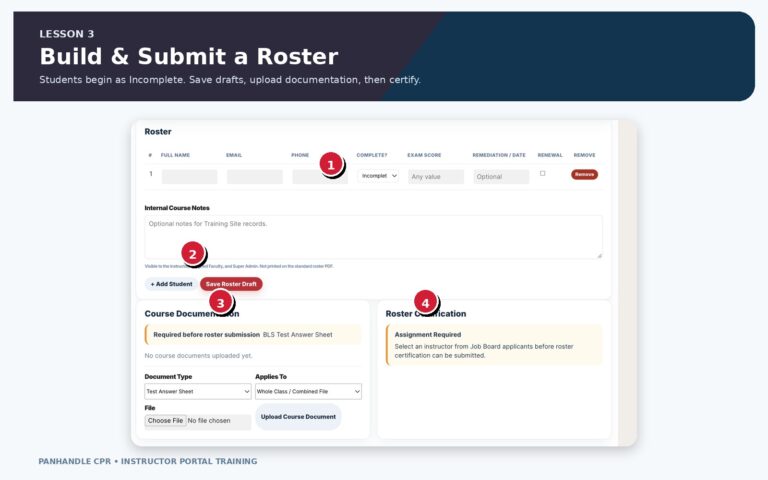 LESSON 03
Rosters, Documentation & Certification
Add students, document completion, upload required paperwork, and prepare the roster for Training Site processing.
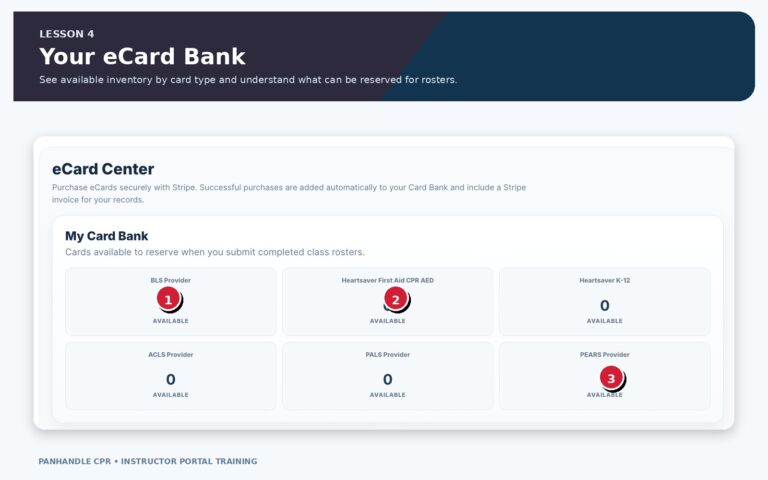 LESSON 04
eCard Center & Card Bank
Understand available card inventory, purchase packages, and review completed transactions.
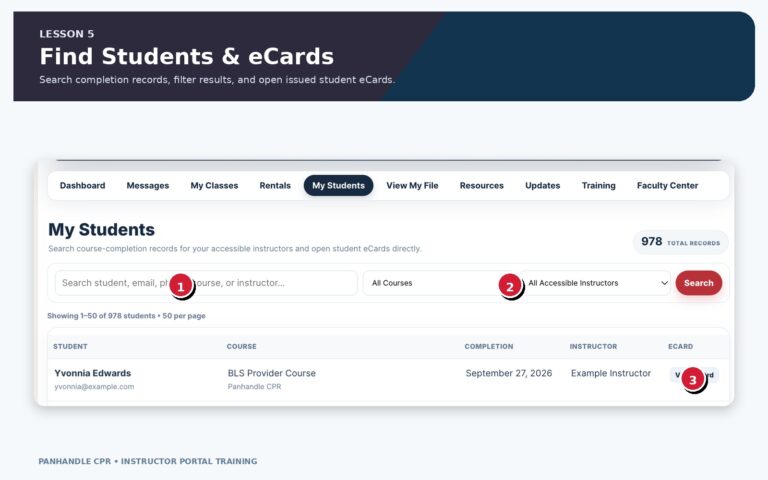 LESSON 05
My Students & Issued eCards
Search completion records and open eCards after they have been issued.
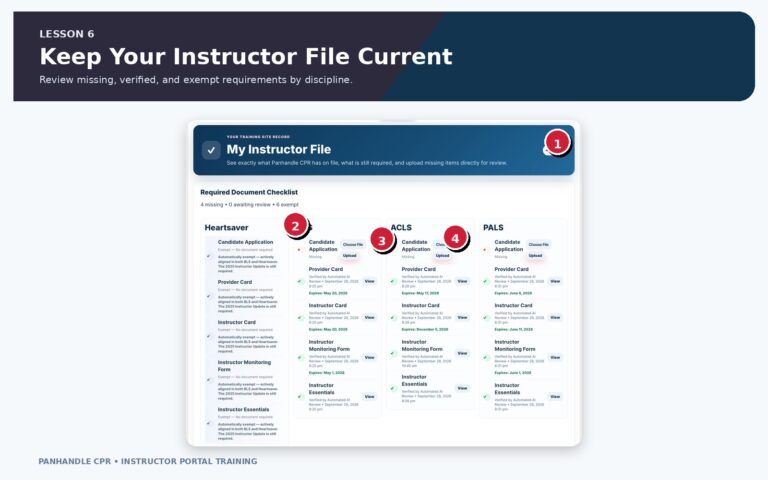 LESSON 06
My Instructor File
Review missing, verified, exempt, and expiring instructor-file requirements by discipline.
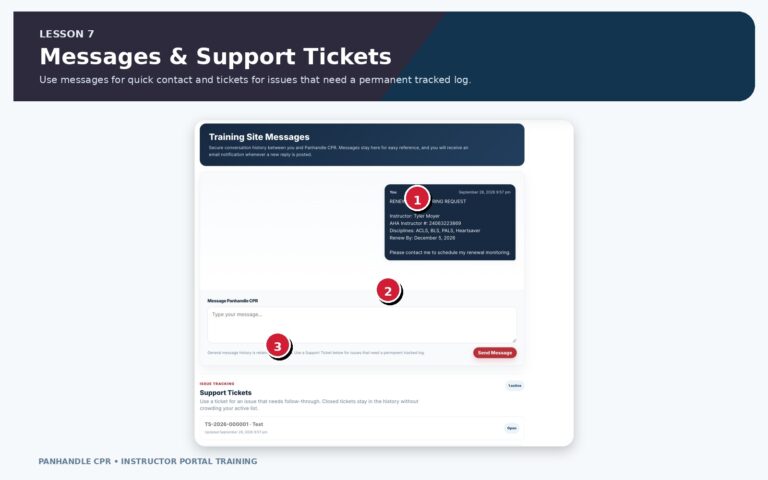 LESSON 07
Training Site Messages & Support Tickets
Choose the right communication channel and keep issues organized.
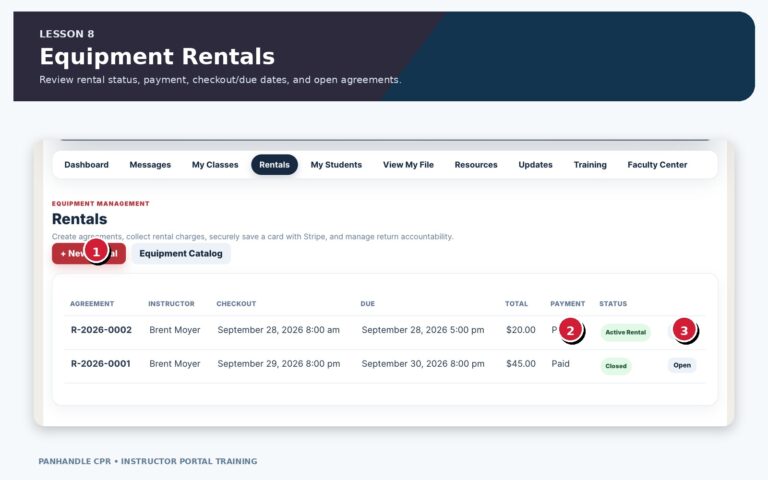 LESSON 08
Equipment Rentals & Agreements
Review rental agreements, payment status, equipment, dates, and signed records.
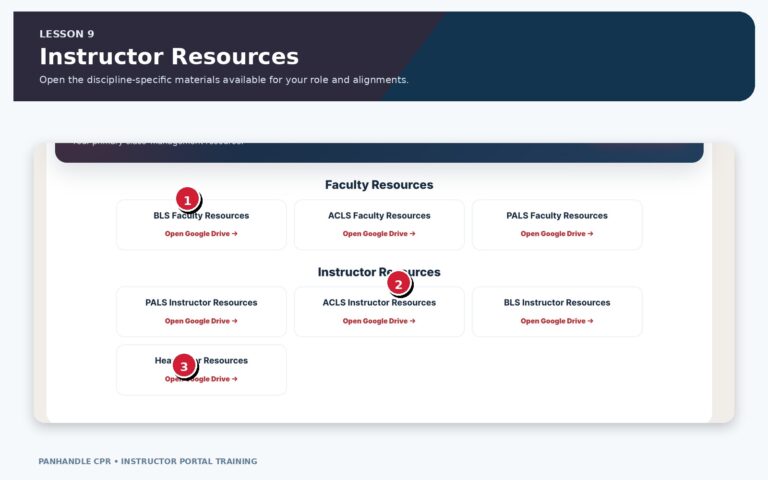 LESSON 09
Instructor & Faculty Resources
Open discipline-specific resource libraries available to your role and active alignments.
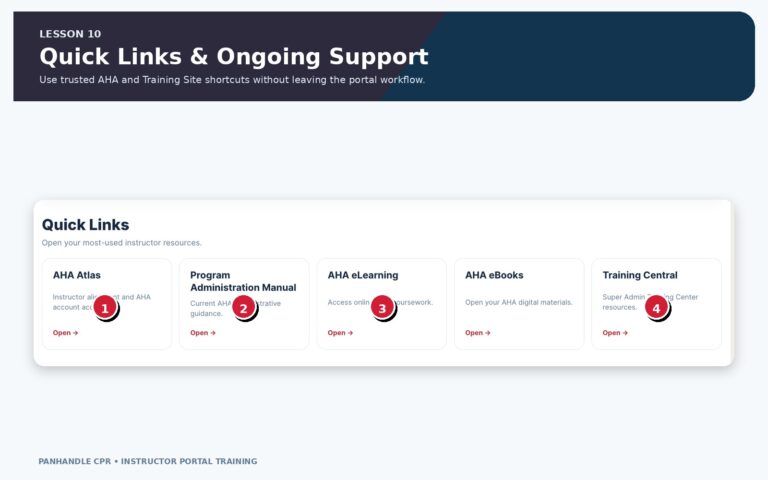 LESSON 10
Quick Links & Your Normal Portal Routine
Finish with a simple routine for using the portal consistently.
Lessons
1. Your Portal Dashboard
Read your instructor status, alignment, monitoring, and renewal information at a glance.
2. My Classes & Job Board
Find classes, filter records, open rosters, and understand Job Board and publishing indicators.
3. Rosters, Documentation & Certification
Add students, document completion, upload required paperwork, and prepare the roster for Training Site processing.
4. eCard Center & Card Bank
Understand available card inventory, purchase packages, and review completed transactions.
5. My Students & Issued eCards
Search completion records and open eCards after they have been issued.
6. My Instructor File
Review missing, verified, exempt, and expiring instructor-file requirements by discipline.
7. Training Site Messages & Support Tickets
Choose the right communication channel and keep issues organized.
8. Equipment Rentals & Agreements
Review rental agreements, payment status, equipment, dates, and signed records.
9. Instructor & Faculty Resources
Open discipline-specific resource libraries available to your role and active alignments.
10. Quick Links & Your Normal Portal Routine
Finish with a simple routine for using the portal consistently.